How to protect your phone from spyware with free built-in settings
Some spyware needs no click. Apple, Google and WhatsApp offer free settings that are the best defense available today.

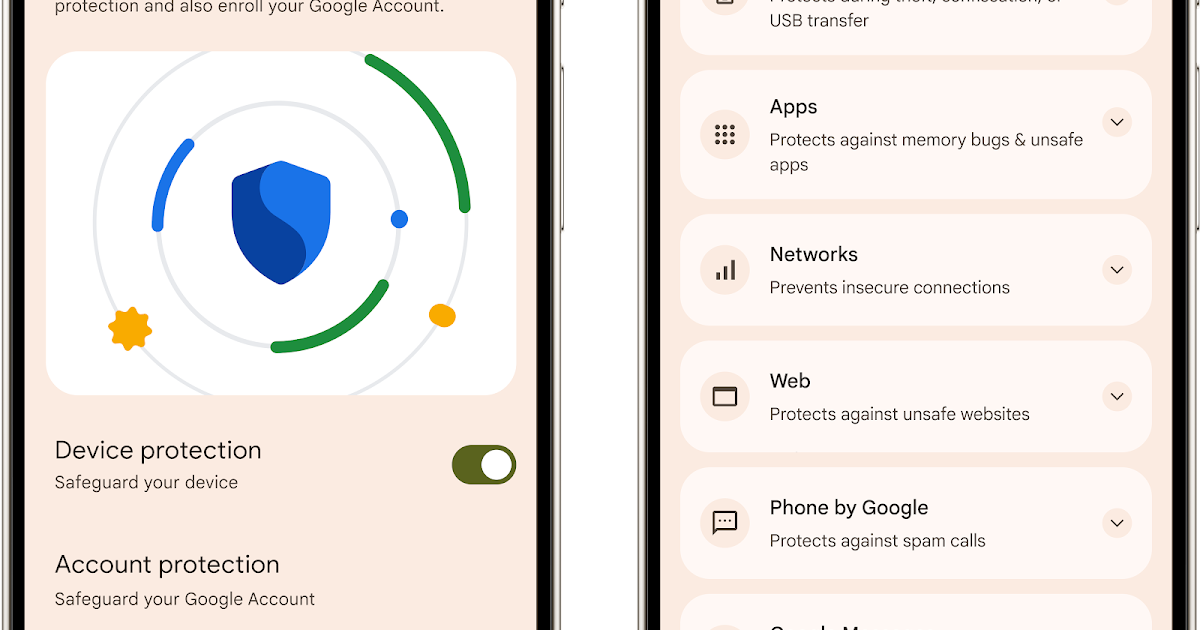
The problem
Advanced spyware can infect a phone without you clicking anything. These free settings help.
iPhone: Lockdown Mode
- Settings > Privacy & Security > Lockdown Mode.
- Apple said as of March it has never detected a successful spyware attack on a device with Lockdown Mode on.
Android: Advanced Protection Mode
- Extra device protection.
- Auto-reboots a phone that's been locked for 72 hours.
- Google accounts also have the Advanced Protection Program.
WhatsApp: Strict Account Settings
- WhatsApp has more than 3 billion users.
- Strict Account Settings adds protection, but you must turn it on.
Security expert Runa Sandvik: "These features are free, easy to enable, and the best defense we have today against sophisticated spyware."
Founder and editor-in-chief of Kurd Developers. Phone and tech news on YouTube, Instagram and TikTok.
More stories
One text can break your phone: Android's 'SMS of Death' explained
A flaw in Android 12 and later lets a specially crafted SMS drop calls and even make a phone unusable. The fix is in October's security patch.

GTA VI lands November 19: prices, editions and what to know
Rockstar has locked the date: Thursday, November 19 on PS5 and Xbox Series X|S. Standard costs $79.99 and Ultimate $99.99.

Apple's first touchscreen MacBook Pro brings OLED and Dynamic Island
The new PROLED XDR display responds to touch, the notch is gone and Dynamic Island takes its place. Prices start at $2,899.

The $1,999 iPhone Duo Has a Black-Bar Problem, and Fixing It Is Harder Than It Looks
Apple's first foldable is a hardware flex. But unfold it and many of your apps shrink into a phone-shaped window floating in black. Here's why the app world wasn't ready, and why developers can't just hit "stretch".